How to Prepare Your Website for LLM Crawling: A Builder’s Guide
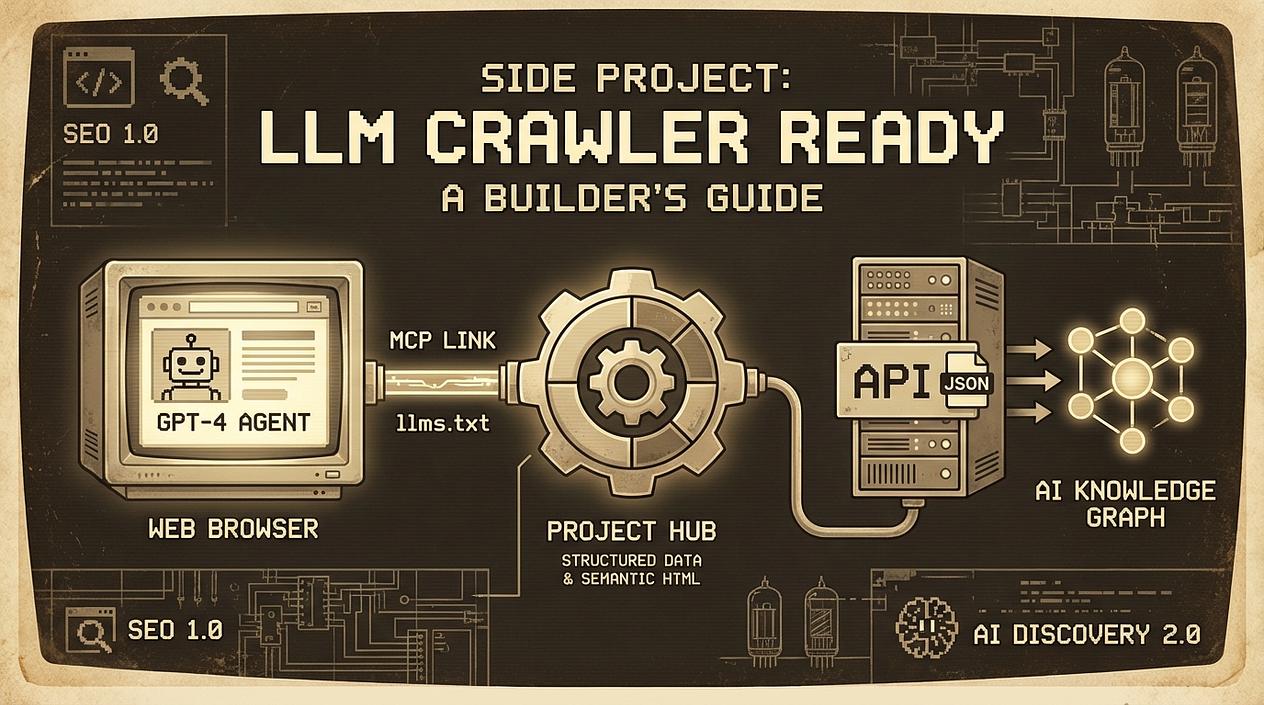
As a builder, you’re likely used to the SEO grind—optimizing for keywords, building backlinks, and hoping Google’s algorithm smiles upon you. But in 2026, there is a new sheriff in town: the LLM crawler.
AI agents like ChatGPT, Claude, and Perplexity are no longer just 'reading' the web; they are browsing it to find tools, data, and answers for their users. If your website isn't readable by these models, it basically doesn't exist for a growing segment of users.
Here is how we prepare our projects for the age of AI agents without spending weeks on it.
1. The New Standard: llms.txt
You’re familiar with robots.txt, but have you met llms.txt? This is a growing convention designed to provide a Markdown-formatted summary of your website specifically for LLMs. It acts as a concierge, helping models find relevant documentation without wasting tokens on your site's header or footer navigation.
A standard llms.txt should follow a specific structure to be most effective:
- The Root H1: This must contain the name of the project or site and a brief summary.
- The Optional H2 Sections: Use these to categorize your links (e.g., 'Documentation', 'API').
- Clean Links: Each link should be in a Markdown list format with a short description.
Here is a simple example of how your llms.txt should look:
# Project Name

> Brief summary of the project and its core value proposition.

## Documentation

- [API Reference](https://yourdomain.com/docs/api): Detailed endpoint definitions and authentication guides.
- [Installation](https://yourdomain.com/docs/install): How to set up the environment for the project.

## Guides

- [Quickstart](https://yourdomain.com/docs/quickstart): A 5-minute guide to your first successful deployment.
Action Step: Create a file at yourdomain.com/llms.txt. It saves the LLM tokens and ensures it doesn't hallucinate your features.
2. Enter the Model Context Protocol (MCP)
One of the most exciting shifts in the last year is the Model Context Protocol (MCP). While llms.txt is for discovery, MCP is for interaction.
Think of MCP as a universal bridge between your project’s data and an AI agent. Instead of hoping a crawler correctly parses your HTML, you provide a structured interface for the AI to 'call' your site like an API.
How to Implement MCP on Your Site
For builders, implementing an MCP server is straightforward using existing SDKs (TypeScript/Node.js or Python):
- Define Resources: These are read-only data points (like your latest blog posts or product specs).
- Define Tools: These are functions the AI can execute. For a website, this usually means a GET request to a specific endpoint that returns JSON.
- Choose a Transport: Most web-based MCP implementations use SSE (Server-Sent Events) to allow the agent to communicate with your server over standard HTTP.
Check out MCP documentation in the links at the end of the article.
Real-World Examples for Your Project:
- Live Inventory/Pricing: If you run a micro-SaaS, an MCP tool can let an AI agent check current seat availability or dynamic pricing for a specific user query.
- Customer Support Knowledge: Instead of the agent reading your whole 50-page FAQ, it can use an MCP tool to 'search' your docs and get only the relevant snippet.
- User-Specific Data: If a logged-in user is using an AI agent, your MCP server can securely provide the agent with that user's specific project status or analytics.
3. Data Structuring: Beyond Simple Meta Tags
LLMs love structure. While they are getting better at parsing raw HTML, providing clear signals via Schema.org markup is still the gold standard.
For your website, focus on these three:
- SoftwareApplication: If you’re building a SaaS.
- HowTo / FAQ: If you have documentation.
- Product: For your pricing and features.
Using JSON-LD to describe your project ensures that when an AI 'crawls' your site, it doesn't just see a bunch of <div> tags—it sees a 'SaaS tool for automated invoicing starting at $10/month.'
4. Semantic Sitemaps and Clean HTML
AI crawlers are essentially looking for context. If your site is a 'Single Page App' (SPA) with zero SSR (Server-Side Rendering), LLM crawlers might struggle to see your content.
- SSR/SSG: Ensure your core landing page content is rendered in the initial HTML.
- Semantic HTML: Use
<main>,<article>, and<nav>tags. It helps the model's 'attention' mechanism focus on what matters. - Clean Sitemaps: Keep your
sitemap.xmlupdated. AI agents use these to map out the 'knowledge graph' of your site quickly.
Why This Matters for Builders
When you're engineering a project into a business, visibility is your biggest hurdle. In the past, you needed a massive content marketing budget to compete. Today, by being 'technically compatible' with LLMs, you can get recommended by AI agents to users who are looking for exactly what you've built.
Don't just build for humans; build for the agents that help humans find you.
Sources:
 Share on Reddit